
Understanding public wifi login safety is essential because open networks are fine for reading the news but riskier for accessing accounts that hold money.
For Filipino players 21+ on PAGCOR-licensed platforms such as FBM Play in the Philippines, extra care is needed. Fake hotspots and look-alike login pages make public networks a higher risk for gaming accounts and e-wallets, where unauthorized access can lead to financial loss.
What Can Go Wrong on Public Wi-Fi
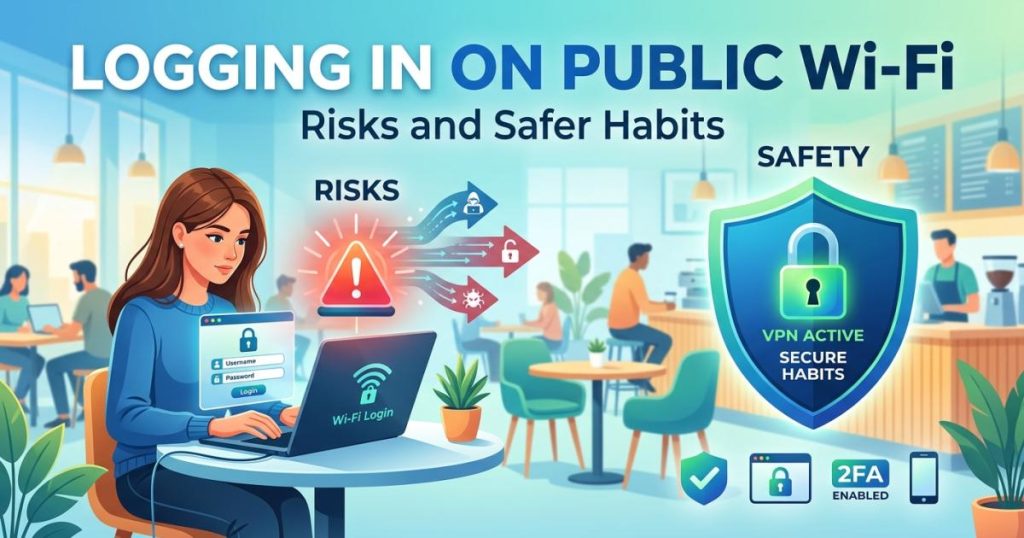
When asking, is public wifi safe for logging in, you must remember that a public network is shared with strangers. Many sites and apps now encrypt what they send, which has made public Wi-Fi safer than it was, but scammers still use fake hotspots, look-alike login pages, and compromised equipment to intercept data.
Public Wi-Fi is low-risk for reading the news and higher-risk for logging in to accounts that hold money (Techlicious, 2026). Open networks, with no password, give no protection of their own, meaning anyone nearby can potentially monitor the unencrypted traffic passing through the connection.
Fake Hotspots
A fake wifi hotspot, sometimes called an “evil twin”, copies the name and login page of a real network. If your phone has joined a network with that name before, it may connect on its own without you realizing you have joined a malicious network.
There are several warning signs to watch for when connecting. These include seeing two networks with almost the same name, encountering a generic name such as “Free Wi-Fi”, or being redirected to a login page that asks for your email, social media login, or phone number. You might also see a browser warning about a certificate, or a page that asks you to install something.
Free Wi-Fi does not need your email or social media login, and you should never install software because a Wi-Fi page asks you to do so.
Safer Habits
To improve your public wifi account safety, follow these practical steps. These steps reduce risk. They do not remove it entirely.
- Use Mobile Data: For logins that hold money, such as gaming accounts and e-wallets, use mobile data or a personal hotspot instead of public Wi-Fi, and never share an OTP or MPIN. This is the single most effective step.
- Verify the Network: If you must use public Wi-Fi, ask the staff for the exact network name and choose that one.
- Disable Auto-Join: Turn off your phone’s setting that joins networks automatically, and forget public networks after use.
- Type Addresses Manually: Type the platform’s address yourself, check that the page uses HTTPS (the lock icon), and never log in from a link in a message. Learn more about official domains.
- Consider a VPN: A VPN encrypts your traffic and reduces risk on public Wi-Fi, but it does not protect you from typing your login into a fake page, so keep checking the address.
- Keep Codes Private: Never share an OTP or MPIN with anyone, on any network. Read what FBM Play never asks for.
- Use Unique Passwords: Use a password you do not use anywhere else, and log out when you finish, especially on a shared device.
- Update Software: Keep your phone’s software up to date.
If Something Looks Wrong
If you suspect you have connected to a malicious network, take immediate action to protect your accounts.
- Disconnect Immediately: Disconnect from the network at once and switch to mobile data.
- Change Passwords: If you typed a password on a page you now doubt, change it from a safe connection. Check the password reset guide.
- Review Activity: Look through your account and your e-wallet for activity you do not recognize.
- Contact Support: Contact the platform’s support, and your e-wallet provider through its official channel, and say what happened.
- Recover Account: If you cannot get into your account, see the recovery guide.
- Report Scams: Report scams and fake sites. Learn how to report a scam casino site.
Gaming Accounts and Public Places
Public places are also where sessions get long. Set loss limits and a time limit before you start using the loss limits guide, and do not let a public setting make you rush a login or a payment.
Beware of messages that arrive after you connect, such as a “bonus” or “verify your account” link. These are common scams, which are detailed in the anti-phishing hub.
FAQ
Is it safe to log in on public Wi-Fi?
It is lower-risk for casual browsing and higher-risk for logins that hold money, so use mobile data for gaming accounts and e-wallets.
What is a fake Wi-Fi hotspot?
A fake hotspot copies the name and login page of a real network to trick users into connecting. It is designed to capture the information you enter.
Can someone steal my gaming account on public Wi-Fi?
Yes, scammers can use compromised equipment or look-alike pages to capture your login details. This is why using mobile data reduces the risk significantly.
Does a VPN make public Wi-Fi safe?
A VPN reduces risk by encrypting traffic, but it does not stop you from typing a login into a fake page. It improves privacy but does not remove all hazards.
Is mobile data safer than public Wi-Fi?
Yes, mobile data connects directly to your cellular provider, avoiding the shared vulnerabilities of open networks. It is the recommended choice for accessing e-wallets and gaming accounts.
What should I do if I logged in on a fake Wi-Fi page?
Disconnect from the network immediately and switch to mobile data. Then, change your password from a trusted connection and check your account for unrecognized activity.
Responsible Gaming and Support
Gaming on fbmplay.com is strictly for adults 21+ in the Philippines. Always set limits and play responsibly. If you or someone you know needs help, contact the PAGCOR Helpline at (02) 8248-9568.