
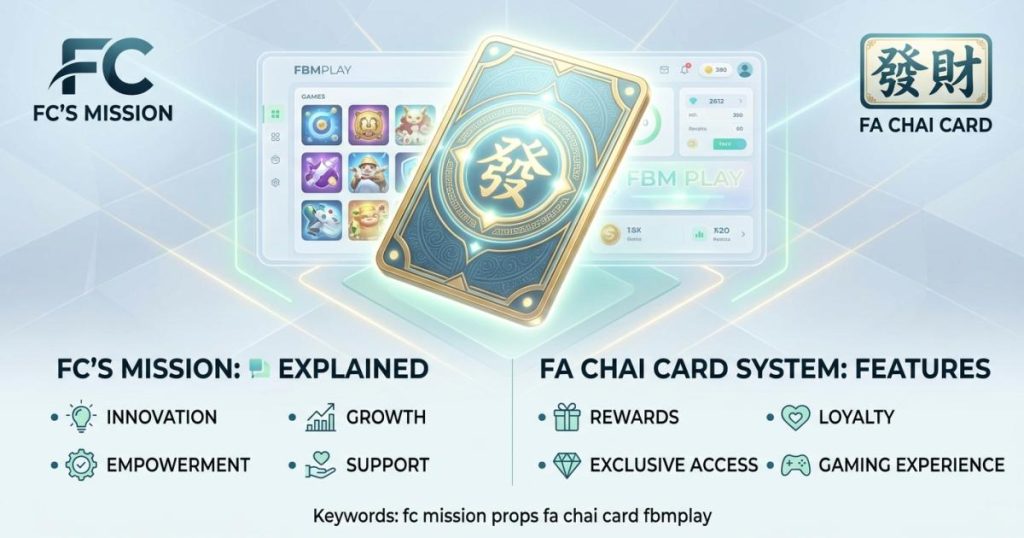
The fc mission props fa chai card fbmplay feature system allows players 21+ in the Philippines on PAGCOR-licensed FBM Play to earn functional bonus cards.
What Is FC’s Mission and FA CHAI Card System
FA CHAI Gaming (FC) incorporates a platform-wide progression framework across its online slot catalog hosted on FBM Play. Rather than limiting bonus features to isolated game mechanics within a single title, this cross-game system links player activity across multiple FC titles—such as Poker Win and Super Elements 2—into a unified mission and reward tracker.
By placing wagers and reaching specific activity milestones across eligible FC slot games, participants fulfill mission goals. Completing these goals grants item rewards in the form of FA CHAI Cards. Once awarded, these cards are transferred directly to the player’s personal PROPS inventory interface, where they can be held or redeemed during subsequent gaming sessions.
All daily activity trackers and mission progress meters reset automatically at 00:00 (GMT-4). Upon reset, any uncompleted progress bars revert to zero, establishing a fresh daily objective cycle for participants on the FBM Play platform.
Daily and Weekly Missions
The mission framework is divided into distinct categories and timeframes to accommodate different play styles and session frequencies. Each mission path requires players to clear objective stages sequentially.
- Challenge Mission (Daily): Requires players to log in and place qualifying wagers on any FC slot title available on FBM Play. Accumulating wager volume or spin counts advances the daily progress bar through consecutive tier stages.
- Challenge Mission (Weekly): Tracks cumulative performance across multiple daily sessions throughout the week. Upon reaching the final milestone stage, players must manually open the weekly reward interface to collect their prize.
- Specified Mission (Daily & Weekly): Functions with identical stage structures to Challenge Missions, but limits progress tracking strictly to designated FC slot titles specified in the mission details tab.
- Sequential Stage Unlocks: Higher mission tiers remain locked until the immediate prerequisite stage is fully completed and registered by the platform server.
How to View and Claim Missions
Navigating the mission system within any FC game interface on FBM Play requires accessing dedicated control overlays embedded in the player dashboard.
- Locate the MISSION Icon: Click or tap the labeled MISSION icon displayed on the primary slot interface to open the active objective panel.
- Review Objective Categories: Toggle between the Daily and Weekly tabs, as well as the Challenge and Specified sub-sections, to inspect requirement criteria and real-time progress bars.
- Monitor Progress Stages: Observe the incremental stage indicators to confirm how many wagers or spins remain before reaching the next milestone.
- Claim Weekly Rewards: When weekly condition bars reach 100%, select the treasure chest icon within the mission panel to manually transfer the earned item into your inventory.
FA CHAI Card Types
Cards earned from mission completion represent consumable items stored within the game’s PROPS management menu. Each card category confers a specific operational effect when triggered during active play.
- FREE SPIN Series: Direct activation triggers a predetermined round of free spins using a preset base feature condition on the selected slot title.
- FREE GAME Series: Divided into standard FREE GAME, FREE GAME+, and FREE GAME++ tiers. Higher card tiers grant progressively larger free game feature enhancements compared to baseline tiers.
- FEATURE GAME Series: Divided into standard FEATURE GAME, FEATURE GAME+, and FEATURE GAME++ tiers. Each tier step provides a progressively larger feature enhancement when deployed during gameplay.
How to Use a FA CHAI Card
Redeeming an earned reward card requires manual activation through the internal inventory manager before initiating an eligible spin sequence.
- Complete Mission Objectives: Clear the required daily or weekly mission stage to receive a card reward notification.
- Access PROPS Inventory: Tap the PROPS button located on the side menu of the FC game screen to open your stored card inventory.
- Select Target Card: Choose the desired FA CHAI Card tier (FREE SPIN, FREE GAME, or FEATURE GAME) from your available inventory list.
- Confirm Activation: Press the activation button to consume the selected card from your PROPS storage.
- Execute Spin: The selected card feature triggers automatically on your immediate next eligible spin round.
FAQ
What is FC’s Mission and FA CHAI Card system on FBM Play?
It is a cross-game reward system across FC slots on FBM Play where players complete wagering goals to earn item cards stored in a PROPS inventory.
How do I earn a FA CHAI Card?
You earn cards by completing daily or weekly mission stages through regular play on eligible FC slot titles.
When do FC missions reset?
All daily mission counters and uncompleted progress bars reset automatically every day at 00:00 (GMT-4).
What are the different FA CHAI Card types?
The system includes FREE SPIN cards, FREE GAME tier cards, and FEATURE GAME tier cards, each offering different levels of feature activations.
Responsible Gaming Reminder: Real-money gaming carries financial risk and should always be approached with moderation. This platform service is strictly available for players aged 21 and above in the Philippines under PAGCOR regulatory oversight.