
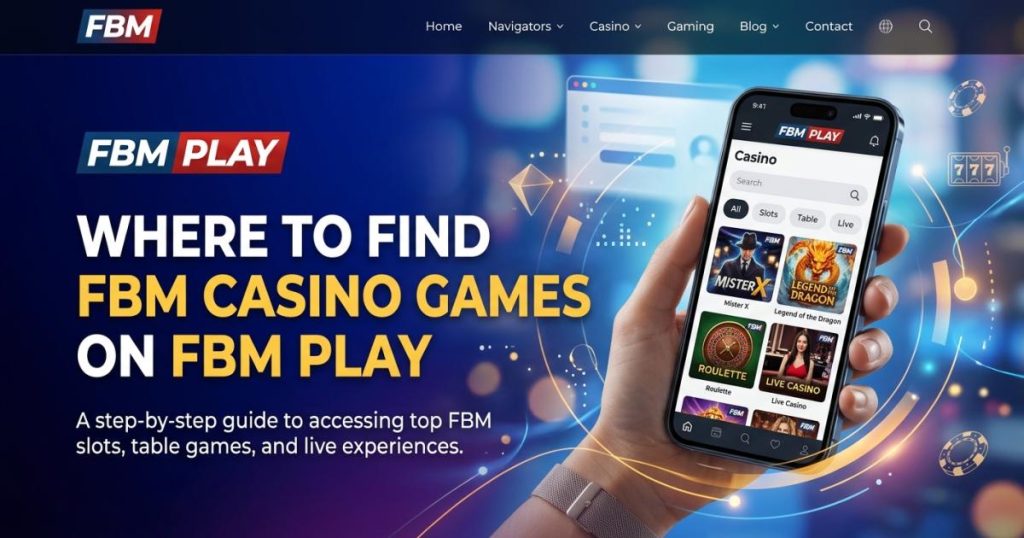
Where to find FBM casino games: PAGCOR-licensed FBM Play (fbmplay.com) and its Philippines Android app for 21+ players use seven tabs: Hot, Slots, Casino, Poker, Arcade, Bingo and Sports.
Start From an Official FBM Play Entry Point
To begin playing, you must first access the correct website. When you open your browser, look at the address bar at the top of your screen. Type fbmplay.com yourself to ensure a secure connection. Alternatively, you can use one of FBM Play’s 8 PAGCOR-registered domains: fbmplay.com, fbmplay.ph, fbmcasino.ph, fbmgame.online, fbm.casino, fbmslots.com, fbmemotion.ph, and store.fbmplay.com. These are the only official FBM Play domains authorized to host the platform.
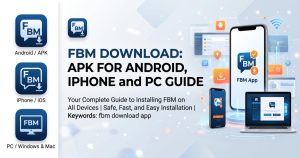
Android players have the option to use a dedicated application. You should download the app only from fbmplay.com to avoid modified files. You can also enter the site through PAGCOR’s verification page at pagcor.ph/pagcorguarantee, which confirms the platform’s legitimate status.
Once you are on the correct site, you will need to log in to your account. Remember that players must be 21+ and KYC-verified to deposit funds. Completing this verification ensures your account is fully active and ready for real-money play.
The Seven Tabs in the FBM Play Lobby
When you log in successfully, the screen will load the main FBM Play game lobby. This central area is your starting point for everything on the platform. The layout is designed to be straightforward, preventing new players from getting lost. FBM Play’s lobby has seven tabs: Hot, Slots, Casino, Poker, Arcade, Bingo and Sports.
You will see these tabs displayed in a horizontal menu near the top of your screen. Tap a tab to switch categories and refresh the screen with the corresponding titles. If you are a new player wondering which category to play, the table below provides a clear breakdown of each section.
| Tab | What you find there |
|---|---|
| Hot | The most popular games right now |
| Slots | Video slots from many providers |
| Casino | Live dealer tables (powered by Evolution) |
| Poker | Poker games |
| Arcade | Fishing and arcade-style games |
| Bingo | Video bingo, including FBM’s Bingo Pilipino |
| Sports | Sports betting (powered by SABA Sports) |
How to Find a Slot by Provider
Because the FBM Play slots list contains many different titles, scrolling through all of them at once can take time. To make this easier, the platform includes a dedicated filter system just below the main tabs. In the Slots tab, provider buttons such as JILI, PG, FC and PP filter games by studio.
Follow these exact numbered steps to narrow down your choices:
- Tap the Slots tab: Wait a moment for the screen to load the full grid of video slots.
- Use the filter row under the tabs: Look just below the main menu for a row of smaller buttons. The ALL button is highlighted first, which shows every slot. The provider buttons (JILI, PG, FC, PP and more — swipe the row horizontally to see the rest) show one studio’s games. For instance, tapping the JILI button filters the screen to show only FBM Play JILI games.
- Tap a game tile to open it: When you see a title that interests you, tap its rectangular image. The screen will transition to the loading page for that specific title.
If you do not want to use the top filter, you can still identify the studio while browsing the main grid. Each game tile shows its provider’s short name in the bottom-left corner. This small text is a quick visual cue for players who recognize specific developer abbreviations.
| Provider tags you will see on game tiles |
|---|
| JILI |
| PG (PG Soft) |
| FC |
| PP (Pragmatic Play) |
| 5G |
| YB |
| YGR |
| OP (OmniPlay) |
| PS |
What the Game Labels Mean
As you look at the grid of rectangular game tiles, you will notice small, brightly colored ribbons or badges on the corners of certain images. These are game labels. They help you spot FBM Play hot games or titles that have just been added to the platform.
The labels are clearly marked with capitalized text. Games with a 1.5% CASHBACK badge earn FBM Play’s highest daily cashback rate. Please note that labels and the games under them change over time based on current promotions and new releases.
| Label | Meaning |
|---|---|
| HOT | Popular games, e.g., Super Ace, Pinata Wins and Fortune Garuda 500. |
| EXCLUSIVE | Games marked exclusive in the FBM Play lobby, e.g., Wukong Moreways, Queen of Inca, Mayan Coins, Super Neko, Mega Palayok, Lucky Ace VIP. This is where you find FBM Play exclusive games. |
| NEW | Recently added games, e.g., 3 Mummy Treasures, Spring Celebration, Thunder Boost. Check this label for FBM Play new games. |
| 1.5% CASHBACK badge | The game earns the highest daily cashback rate. 1.5% daily cashback is a specific promotion, and Pinata Wins currently shows this badge. |
Save Games to Favorites
Navigating the lobby every time you log in is not necessary if you regularly play the same titles. The platform includes an FBM Play favorites function that acts as your personal shortcut menu.
To use this feature, look at the game tile of a title you want to keep. Tap the heart icon on a game tile to save it. The icon will visually update to show it has been selected. When you return to the lobby later, tap the heart button at the start of the filter row to see only your saved games. This instantly hides all other titles, leaving a clean grid of your top choices.
Other Lobby Shortcuts
At the very top of your screen, above the main tabs, there is a stationary header bar. This bar contains three important icons that remain visible as you scroll down the page.
First, the search icon (top right) allows you to look up a game by name. Tapping the magnifying glass opens a text box where you can type the exact title. Second, the bell icon opens your notifications. A small indicator will appear here if you have unread messages regarding your account. Third, the headset icon connects you directly to customer support. Live Chat is available 24/7, ensuring you can always ask a representative for help if you have trouble finding a specific section of the lobby.
Where Not to Look for FBM Casino Games
For your own digital safety, you must know where these titles are absolutely not hosted. The platform’s security relies on players using only the verified entry points discussed earlier.
Do not attempt to log in or access the lobby through any of the following methods:
- Links sent in Facebook, Telegram or Viber chats: Customer support and official representatives will never send you direct login links through social media or messaging applications.
- APK files shared in group chats: Installing unverified application files from strangers can compromise your device. Download the app only from fbmplay.com.
- Sites whose domain is not on the official list of 8: Always check the address bar. If the spelling is altered, leave the site immediately. Learn more about how to spot fake FBM Play links.
- “Agents” offering to load games or credits through a personal GCash account: The platform operates a direct cashier system. There are no authorized third-party agents for deposits or game access.
FAQ
Where can I find FBM casino games?
You can find them strictly on fbmplay.com or the official Android app. Once logged in, the platform is sorted into seven lobby tabs for easy navigation.
How do I find JILI games on FBM Play?
First, open the Slots tab from the main menu. Then, tap the JILI filter button in the row below the main tabs to view only that studio’s catalog.
What does “Exclusive” mean on FBM Play?
This is a label the FBM Play lobby uses for featured games highlighted by the platform. Current examples displaying this label include Wukong Moreways and Mayan Coins.
How do I save my favorite games on FBM Play?
Tap the heart icon directly on a game tile to save it to your personal list. To view them later, open the heart filter located at the beginning of the provider row to see your saved games.
Play Responsibly
While exploring the lobby and trying different titles, it is important to maintain control over your gaming habits. Always set limits on your time and budget before you begin navigating the platform.
If you or someone you know needs support, professional resources are available. You can contact the PAGCOR National Problem Gambling Helpline at (02) 8248-9568, which is open 24/7. Additionally, Gamblers Anonymous Philippines can be reached at 0915 938 2808.
FBM Play is for players aged 21+ only. For more detailed instructions on navigating the platform and understanding exactly where to find FBM casino games, refer to the full FBM Play games guide.